Referencing
What is Referencing?
A comprehensive reference check verifies the background and qualifications of potential employees by receiving validation of work history and performance from previous employers, educational credentials, personal references to gain insights into the candidate's character, and gap history checks to account for any periods of inactivity in their professional timeline.
In order to capture reference claims in line with your compliance requirements, referencing can be:
- Triggered automatically or manually
- Set to cover a specific timeline period
- Specify the number of minimum references required and reference type
- Specify gap length that requires coverage
Referees can provide their feedback online through the referee portal, where responses are directly recorded into Access Screening, or via a paper form, with responses manually entered into Access Screening. This offers flexibility to meet your compliance requirements.
Referees are automatically invited to confirm or dispute:
- Start date for employment and academic references
- End date for employment and academic references
- Position for employment references
- Course and Grade Achieved for academic references
As well as validation of the claim, customers can ask additional questions suitable for the business/role the candidate is being screened for. These can be ratings of behaviours/skill, mandatory, optional or multiple choice questions. Additionally, referees can upload documents to support the claim.
By conducting thorough reference checks, organisations can ensure that candidates are honest about their qualifications and experience, and possess the integrity and reliability required for the role. This process not only helps in making informed hiring decisions but also enhances the credibility and trustworthiness of the individual.
Check Coverage
UK and Global
Why Use Access Screening for the Check?
- Configurable referee questions for each reference type
- Automatic reminders emails to referees
- Options to do online and paper based referencing
- Capture all or required employment history
- Referee email verification allows you to be more confident that the referee portal is being completed by the intended recipient
- Check can be added to your existing workflows
- Allows you to run all your checks from one place in Access Screening
How it Works
Results
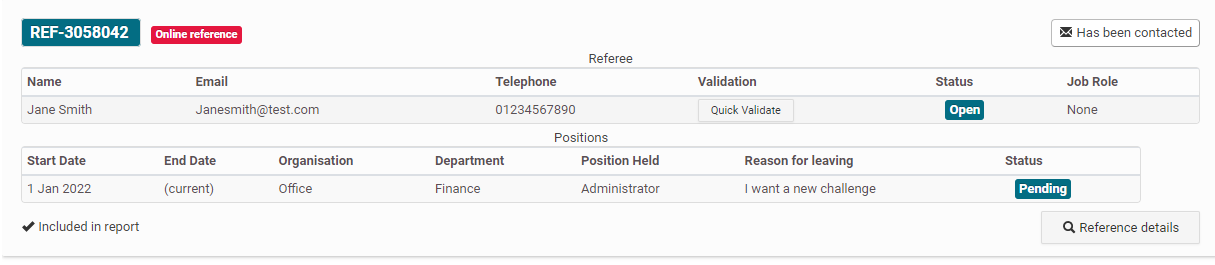
Pending means the referee has not completed the referee portal.
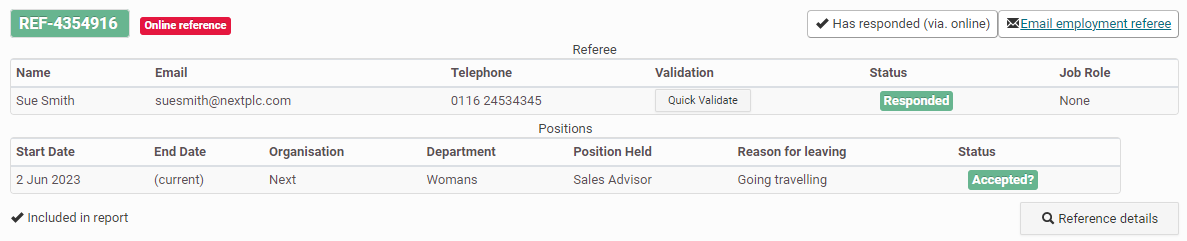
Accepted means the referee confirmed the reference.
Declined means that the referee declined the reference and will have given a reason why they have declined the reference.

Altered means the referee has altered at least one of the following information:
- Start date for employment and academic references
- End date for employment and academic references
- Position for employment references
- Course and Grade Achieved for academic references

If each status has a ‘?’ at the end, the operator needs to accept or reject the reference. Rejecting a reference will cause a gap in the timeline and you will need to obtain another reference from the candidate to cover the gap.